


Free Groundhog Day Worksheet


Browse all Holiday Worksheets by Month →
Free Groundhog Day Worksheet for Kindergarten
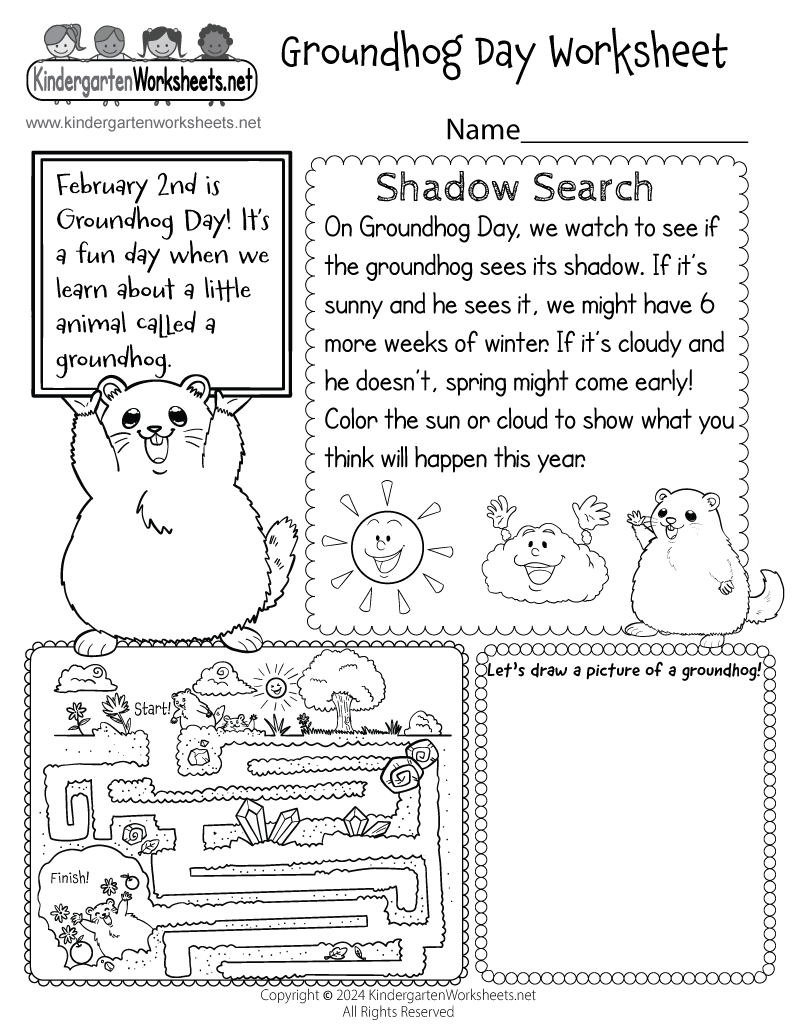
Our Groundhog Day worksheet for kindergarten is a creatively designed printable that captures the essence of this unique American tradition in a simple and engaging format. Starting with an informative section, it introduces young learners to Groundhog Day, explaining the significance of February 2nd in a manner that's easy to grasp. It highlights the Groundhog Day tradition of watching whether the groundhog sees its shadow and what people say that may mean for the arrival of spring. The journey continues with a Shadow Search activity, where kids make their own playful Groundhog Day prediction by coloring a sun or cloud, blending fun with a familiar seasonal tradition.
The worksheet further encourages creativity and fine motor skills development through a drawing section, inviting children to illustrate their version of a groundhog. This not only enriches their artistic expression but also deepens their connection to the day's theme. Additionally, a maze activity is included to challenge their problem-solving abilities, guiding them from start to finish in an entertaining way. This cohesive blend of information, creativity, and interactive learning makes our Groundhog Day worksheet a perfect educational tool, ensuring a memorable and informative experience for kindergarten students as they celebrate this special day.
Made for the classroom or home, this free worksheet is easy to use for teachers, parents, and homeschool families. Download the PDF for the best print quality, or choose the printable version to print right from your browser.
Download or Print This Worksheet
- Groundhog Day Worksheet PDF - Download (best quality)
- Printable Groundhog Day Worksheet - Print Directly from Your Web Browser
Tips for Getting This Groundhog Day Worksheet
Above the free "Groundhog Day" worksheet, you will see two icons: Download and Print. Select the Download icon to open the worksheet as a PDF (recommended for the best print quality). You can save the PDF to your device and print it anytime. Select the Print icon to open a print-friendly page focused on the worksheet, then click the Print This Worksheet button (or use Ctrl + P on Windows/Chromebook or Command + P on Mac).